
Tattoo Design - Tattoo Maker
Neli CreativeArt & Design
3.527.00 Reviews
- Version
- 1.4.15
- Installs
- 500.00K
- Age Rating
- Everyone
Screenshots
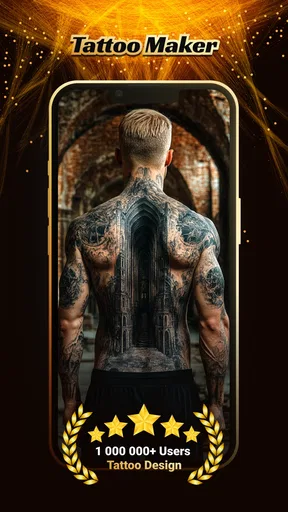
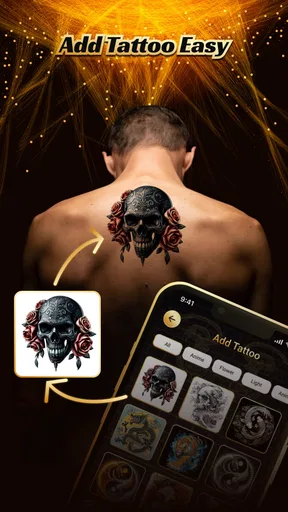
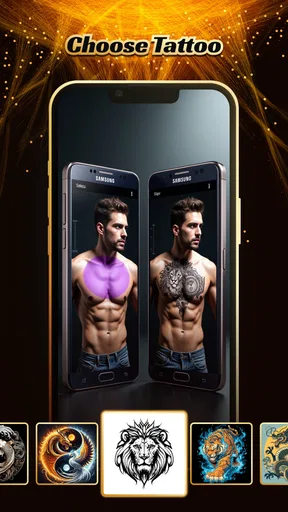
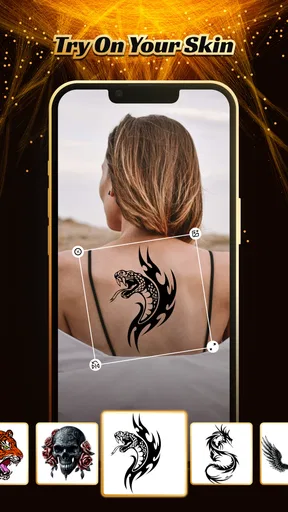
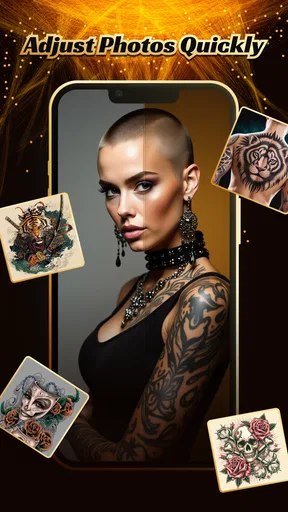
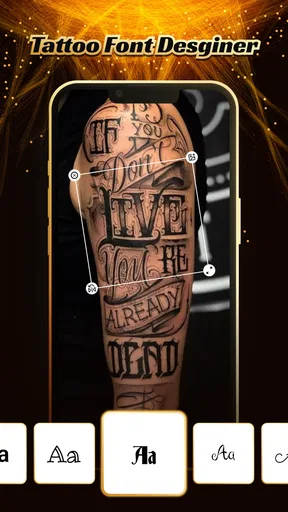
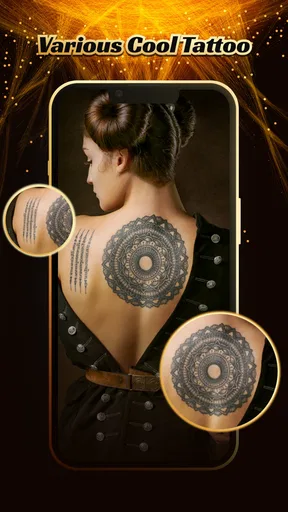
Our Review of Tattoo Design - Tattoo Maker
 Analysis by Appyee
I treat a tattoo preview as a way to test an idea, not a promise of what the finished ink will look like. That is the lens I bring to Tattoo Design - Tattoo Maker: it is a planning aid for people who want to explore a direction before talking with an artist. Made by Neli Creative, this free Art & Design app is aimed at a broad audience and carries an Everyone age rating.
The first question I would ask before installing it is what I need help deciding. If I am unsure about a tattoo’s general look or where it might sit, a visual tool can make the decision feel more concrete. If I already need precise artwork, technical drawing control, or a stencil-ready file, I would look for a different kind of tool instead.
That distinction matters because tattoo apps, image-search services, and drawing programs solve different problems. Browsing images gives you a wide pool of inspiration, but it can leave you guessing about placement. Drawing software offers more control, but can feel like overkill when all you want is to compare a few visual directions. This app makes most sense in the middle: as a low-pressure place to explore and prepare questions.
What the app does well when an idea is still taking shape
The most valuable part of the experience is the ability to compare possibilities before making a permanent decision. A tattoo idea often changes once you see it in context. A design that looks balanced as a standalone image may feel too busy on a smaller area, while a simple symbol can become much more convincing when you imagine its size and position.
I found the preview concept especially useful for people who are not confident at describing visual ideas. Instead of telling an artist that you want “something minimal but not boring,” you can use the app to narrow down the mood you mean. Even when the exact design is not suitable for tattooing, the visual reference can make a consultation more productive.
There is also a practical emotional benefit. Tattoo decisions can feel unnecessarily urgent when inspiration comes from a single image seen online. Exploring several options in an app creates a pause between excitement and commitment. That pause is important. It gives you time to notice whether you like the subject itself, or only like the way it was presented in one particular picture.
My advice is to use the first session as a collecting exercise rather than trying to find the perfect result immediately. Save or note the concepts that keep attracting your attention, then return to them later. If the same visual direction still feels right after a few days, it is a stronger starting point than an idea chosen during one burst of enthusiasm.
Previewing is more useful as a conversation tool than a final simulation
The app’s central appeal is seeing tattoo concepts in a preview before committing to ink, and that is where expectations need to stay realistic. A digital image can communicate placement and general composition, but it cannot reproduce every factor that affects a real tattoo. Skin texture, body movement, line weight, aging, lighting, and the artist’s interpretation all matter.
I would therefore show an app preview to a tattoo artist as a reference, not as an instruction sheet. The artist may recommend changing the proportions, simplifying fine details, adjusting the orientation, or moving the design to a more suitable area. Those changes are not failures of the app; they are part of translating an idea into work that can actually be tattooed well.
A particularly useful workflow is to create two or three contrasting directions instead of endlessly refining one. For example, you might compare a compact version with a more open composition, or a bold treatment with a lighter one. This makes your preference clearer. It also helps reveal whether you are attached to the subject, the size, or the overall style.
Another tip is to judge the preview from a distance. People often inspect tattoo concepts close to the screen, where small details look impressive. Step back and ask whether the main shape still reads clearly. Tattoos are usually encountered at different distances and angles, so a design that only works when enlarged may not communicate as well on the body.
A simple everyday workflow for making a better decision
Imagine that I am planning a small tattoo for my forearm. I would begin by exploring designs that match the subject I have in mind, then compare how compact or open each option feels. Rather than choosing the most decorative image, I would look for a clear silhouette that still makes sense when reduced in size.
Next, I would use the preview to think about orientation. Should the design face toward me, toward someone looking at me, or follow the natural direction of the arm? This is an easy detail to overlook when viewing a design on a flat screen, yet it can change how intentional the tattoo feels.
I would then create a short reference set for my appointment. The set should include a preferred direction, a backup direction, and a note explaining what I like about each one. That note might mention the spacing, the mood, or the balance rather than demanding an exact copy. This approach gives the artist useful information while leaving room for professional advice.
Finally, I would stop using the app for a while before booking. If I keep changing the concept every few minutes, that is a sign that I am still browsing rather than deciding. Tattoo Design - Tattoo Maker works best when it supports reflection, not when it becomes an endless stream of alternatives.
Where the experience becomes less convincing
The main weakness is the gap between visual inspiration and tattoo-ready design. A preview may look polished while still requiring substantial work from an artist. That matters most for detailed pieces, lettering, delicate lines, or designs intended for areas that move and change shape.
I also think the app can encourage a slightly misleading sense of certainty. Seeing a design placed on a body image can make the decision feel almost complete, even though several important choices remain: the actual dimensions, the stencil placement, the needle and ink approach, and how the design will age. A beginner may need to remind themselves that the screen is showing an idea, not a guarantee.
Another limitation is that visual taste is personal. An app can help you discover a direction, but it cannot decide whether a design will still feel meaningful years later. If you are choosing a tattoo mainly because a style is currently popular, the preview may make that impulse more persuasive rather than more thoughtful.
For that reason, I would avoid using it as the only source of research. A professional portfolio, an in-person consultation, and a discussion about healed work are more important when the decision becomes serious. The app is strongest before that stage, when you need language and references for the conversation.
Who should use it, and who should look elsewhere
I see this as a good fit for first-time tattoo clients, people comparing placements, and anyone who has several loose ideas but cannot yet explain them clearly. It is also helpful for friends planning matching or related tattoos, because each person can explore variations before agreeing on a shared direction.
For a matching design, I would use the previews to separate what needs to stay consistent from what each person wants to personalize. The shared subject might remain the same while size or orientation differs. That makes it easier to discuss the idea together without assuming that “matching” has to mean identical artwork.
It may suit someone who wants a quick visual check without learning a full graphic-design program. Traditional design software offers more control, but that control can be excessive when your immediate question is simply whether a concept feels right on the body. The app lowers the effort needed to start exploring.
It is less suitable for a professional tattooer who needs precise drawing tools, production-ready line work, or a detailed workflow for client revisions. In that situation, dedicated illustration software will generally be a better choice. It is also not the right tool if you already have a finalized drawing and need technical preparation for a stencil or print process.
People who want highly exact body mapping should keep their expectations modest as well. A general preview can support a discussion, but an artist should make the final placement decision with the real body in front of them. Curves, joints, posture, and movement are difficult to judge accurately from a phone screen.
Practical details and what to expect from the current release
The app has passed 500,000 installs, which suggests its approachable concept has reached well beyond a tiny specialist audience. It is free to try, so I see little downside in testing whether its preview-led approach helps you think. The age rating is Everyone, fitting an art and visualization tool intended for general use.
Its average rating is 3.5 from around 167 ratings, with 27 written reviews. I read that as a reason to approach it with balanced expectations. There is enough adoption to suggest that the idea connects with a sizable audience, but the rating also indicates that the experience will not feel perfect for everyone.
The current release is version 1.4.15, and it requires Android 9 or later. That requirement is worth checking before installation if you are using an older phone. On a compatible device, the free entry point makes experimentation relatively low-risk, especially if you are still at the inspiration stage rather than ready to commission a finished design.
Because the app comes from Neli Creative, I would judge it primarily by how well it helps with visual decision-making, not by standards that belong to professional drawing suites. Its role is narrower and more approachable: explore, compare, preview, and prepare better questions for an artist.
How to get a useful result without treating the screen as the answer
When a design seems promising, I would write down what is doing the work for me: its outline, the amount of empty space, its orientation, or the feeling it gives. This is more useful than arriving at a consultation with a collection of images and no explanation. If an artist changes the artwork, those notes preserve the qualities I actually cared about.
I would also avoid comparing previews made under very different assumptions. If one option is much larger or placed at a different angle, it may look stronger for reasons unrelated to the artwork itself. Keeping the comparison focused—same general placement, then one deliberate change at a time—helps separate a preference for the design from a preference for its presentation.
One practical question is whether a preview can settle placement by itself. I would say no: it can help me notice that I prefer a vertical or more compact arrangement, but it cannot account for how the design behaves on my moving body. I would use it to arrive at a shortlist, then ask the tattooer to test placement in person.
Another is whether the result can be taken straight to the needle. I would not assume so. Even a strong reference may need redrawing, simplification, or changes to suit the intended scale and skin. That is especially important for lettering and fine detail, where a screen image can look crisp at a size that may not translate well as a tattoo.
If I were choosing between this and image browsing, I would use browsing to discover subjects and styles, then use the app when I wanted to think about how an idea might sit on a body. If I were choosing between it and illustration software, I would pick the app for quick exploration and the drawing program for deliberate artwork creation. Neither alternative is universally better; the right choice depends on whether I am still deciding or already designing.
My verdict after using it as a planning companion
The app’s real strength is helping uncertainty become a usable reference. It gives a hesitant user something more concrete than a vague idea and something more flexible than an immediate commitment. That is valuable, particularly for a first tattoo or a design whose placement is still undecided.
Its weakness is equally clear: a convincing preview can never replace tattoo-specific judgment. If you expect a complete design studio or a technically accurate simulation of healed ink, you may find the experience limited. If you use it as a discovery and communication tool, its purpose becomes much more convincing.
I would recommend Tattoo Design - Tattoo Maker to casual users who want to explore tattoo concepts before speaking with an artist. I would skip it if I needed professional production tools or already had a finished design ready for technical preparation. For everyone in between, it is worth trying free of charge, provided you keep one rule in mind: let the preview guide the conversation, not make the permanent decision for you.
Verdict
Strengths of Tattoo Design - Tattoo Maker
- Large library of tattoo ideas for different styles and body areas.
- Simple tools make it easy to experiment with designs before getting inked.
- Useful for creating references to discuss with a professional tattoo artist.
- Supports creative exploration without requiring drawing experience.
- Can help compare placement ideas on a virtual body preview.
Limitations of Tattoo Design - Tattoo Maker
- Virtual previews may not accurately reflect real skin or final tattoo results.
- Some designs or features may require in-app purchases.
- The app may include advertisements during browsing or editing.
- Generated designs may lack the originality of a custom artist’s work.
- Image quality and placement can vary depending on the selected template.
Other Releases by Neli Creative
View All
Origami World: Learn & Play
Art & Design4.2

Live 3D Charging Animation
Personalization4.1

Cute Keyboard: Sound & Emoji
Personalization4.3

Mechanical Keyboard: RGB Theme
Personalization4.6
Similar Picks in This Category
View All
Canva: AI Photo & Video Editor
Canva4.8

PENUP – Drawing-sharing SNS
Samsung Electronics Co., Ltd.4.5

Crafto
Kutumb App4.6

Sketchbook
Sketchbook4.1

ibis Paint X
ibis inc.4.5

Adobe Express: AI Photo, Video
Adobe4.6
Frequently Asked Questions
What is Tattoo Design - Tattoo Maker used for?
Tattoo Design - Tattoo Maker is designed to help users explore tattoo ideas and preview possible designs before visiting a professional tattoo artist. You can browse different styles, experiment with placement and appearance, and use the app as a source of inspiration. It is especially useful for comparing concepts and creating a clearer idea of what you may want permanently inked.
Can I create a custom tattoo design in the app?
The app generally focuses on combining tattoo inspiration with editing and preview tools, allowing you to test designs and adjust how they look on a photo or selected body area. Depending on the version and available tools, customization may include resizing, rotating, positioning, and applying different design elements. It should be treated as a concept tool rather than a replacement for professional tattoo design work.
Does Tattoo Design - Tattoo Maker show how a tattoo will look on my body?
Yes, one of the most useful features is the ability to preview tattoo artwork on an image or body area. You can usually upload a photo or use an available template, then place and adjust the design to get a general impression of its size and position. The result is only a visual approximation, since real skin tone, body shape, lighting, and tattooing technique can change the final appearance.
Is Tattoo Design - Tattoo Maker free to download and use?
The application may be available as a free download, but some designs, editing options, advertisements, or advanced features can depend on the version installed and its monetization model. Before using it extensively, check the store listing for in-app purchases, subscriptions, and advertising details. Free access may be enough for basic inspiration, while more complete tools could require additional payment.
Can I use an app design directly as a permanent tattoo?
You can use the app’s designs as references, but you should not treat an automatically generated or downloaded image as a finished tattoo stencil without professional review. A qualified tattoo artist can improve the composition, adapt it to your body, check line thickness, and make sure the artwork will age well. Always discuss the design, hygiene standards, placement, and any skin concerns with a professional before proceeding.
